This Durga Puja AI photo prompt set gives you three ready-to-use poses for turning your own photo into a festive, saree-clad Durga Puja portrait. If you have seen a photo where someone appears dressed in a traditional saree in front of a Durga idol, with perfect pose, jewellery, and pandal lighting, while still clearly looking like themselves, that photo was almost certainly built using a prompt like this. In this post, you will get all three pose prompts, learn exactly how to use them, and turn your own photos into a full festive series.
You do not need any editing skill to use these prompts. You only need an AI tool that supports image uploads, one reference pose image, and one clear photo of your own face.
What Is This Durga Puja AI Photo Prompt Set?
Each prompt in this set works with two images at once. The first image is a reference photo showing the exact pose, saree, jewellery, and Durga Puja background you want to recreate. The second image is your own clear photo, used only for your face and identity. Chat GPT
The AI keeps your real facial features, skin tone, and expression while recreating everything else from the reference image, including the saree draping, hairstyle, makeup, and festive pandal setting. Because identity accuracy is the top priority in every prompt, the result still looks like you, just placed inside a beautifully styled Durga Puja photoshoot.
Why This Trend Is Popular During Durga Puja
Durga Puja is one of the most visually rich festivals, filled with elaborate sarees, jewellery, idol decorations, and pandal lighting that most people cannot easily recreate for a real photoshoot. This AI prompt set solves that by letting anyone generate a festive, professional-looking portrait using just one selfie.
Because each pose comes with a different mood, from a calm traditional look to a smoky dhunuchi dance shot, creators can post a full festive photo series without needing multiple outfits or professional photography.
Prompt Set Details at a Glance
| Detail | Information |
|---|---|
| Prompt Set Name | Durga Puja AI Photo Prompt (3 Poses) |
| Tools Needed | AI image tool with multi-image upload support |
| Images Required Per Prompt | 2 (one reference pose photo, one identity selfie) |
| Number of Prompts | 3, used one at a time |
| Best For | Durga Puja portraits, festive saree photoshoots |
| Output Format | Photorealistic 9:16 portrait |
| Cost | Free, using a standard AI image tool |
How to Use These Prompts: Step-by-Step
Follow these steps to generate any of the three poses.
First, choose which pose you want to try, and save its reference screenshot along with one clear, bright photo of your own face.
Next, open your AI image tool and upload both images together: the reference pose image first, then your own selfie.
Then, copy that pose’s prompt below and paste the full text into the chat along with both images.
After that, wait for the image to generate and review the result closely, checking your face, the saree, and the overall pose against the reference.
Finally, if anything looks off, ask the AI to correct that specific detail, such as the face, pose, hair, saree, or jewellery, and regenerate. Most results improve significantly after one or two corrections.
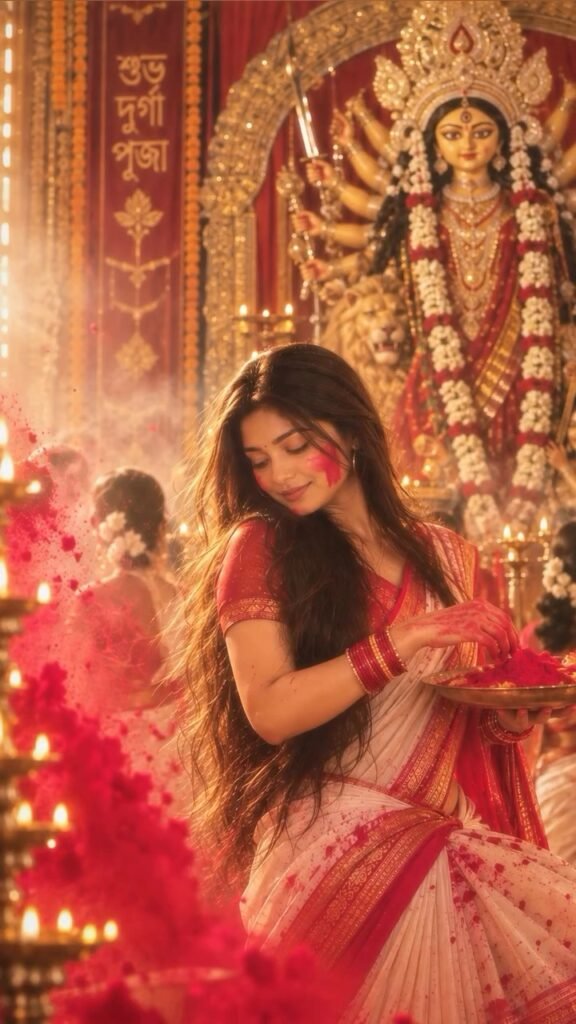
Pose 1 Prompt
Upload 2 images.
Image 1 = Reference image for Pose 1 and the complete visual look.
Image 2 = Your photo for identity.
HIGHEST PRIORITY — IMAGE 2 IDENTITY:
The final person MUST have the exact face and identity of Image 2. Use Image 2 ONLY for the person’s face and identity. Preserve the exact facial structure, eyes, eyebrows, nose, lips, jawline, skin tone, natural features and facial proportions.
DO NOT use, copy, blend or preserve the face or identity of Image 1.
Use Image 1 for EVERYTHING ELSE: exact Pose 1, body position, saree, saree draping, blouse, earrings, jewellery, makeup, bindi, long open voluminous waist-length hair, Durga Puja background, Durga idol, decorations, lighting, colours, gulal, thali, framing and composition.
Recreate Image 1 as closely as possible, changing ONLY the person’s face and identity to Image 2.
Create a photorealistic 9:16 portrait. Keep the result natural and realistic with natural skin texture, realistic hair and fabric. No facial alteration, no beautification, no plastic skin and no AI-looking appearance.
Copy Prompt
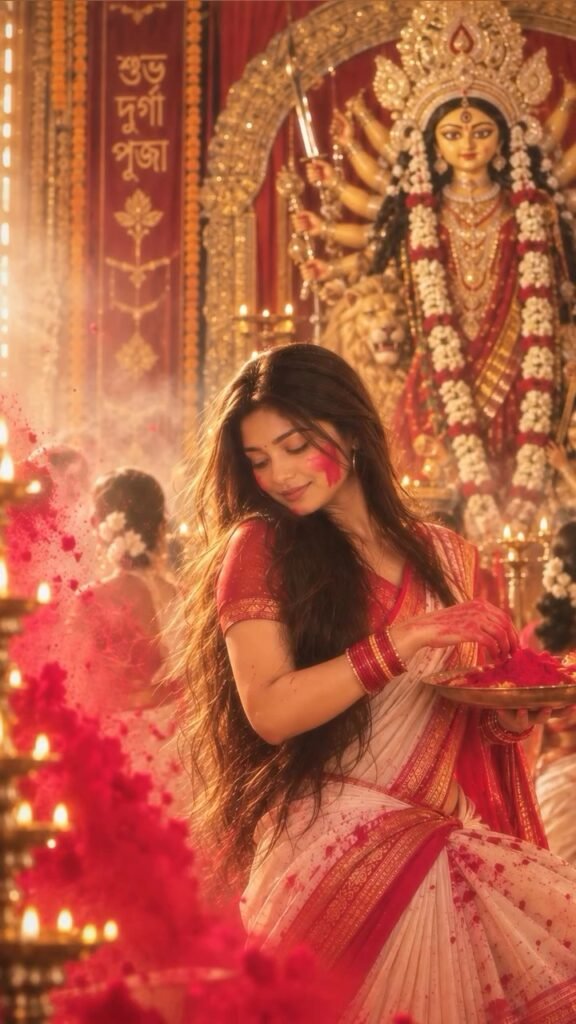
Pose 2 Prompt
Upload 2 images.
Image 1 = Reference image for Pose 2 and the complete visual look.
Image 2 = Your photo for identity.
HIGHEST PRIORITY — IMAGE 2 IDENTITY:
The final person MUST have the exact face and identity of Image 2. Use Image 2 ONLY for the person’s face and identity. Preserve the exact facial structure, eyes, eyebrows, nose, lips, jawline, skin tone, natural features and facial proportions.
DO NOT use, copy, blend or preserve the face or identity of Image 1.
Use Image 1 for EVERYTHING ELSE: exact Pose 2, body position, saree, saree draping, blouse, earrings, jewellery, makeup, bindi, long open voluminous waist-length hair, Durga Puja background, Durga idol, decorations, lighting, colours, gulal, thali, framing and composition.
Recreate Image 1 as closely as possible, changing ONLY the person’s face and identity to Image 2.
Create a photorealistic 9:16 portrait. Keep the result natural and realistic with natural skin texture, realistic hair and fabric. No facial alteration, no beautification, no plastic skin and no AI-looking appearance.
Pose 3 Prompt
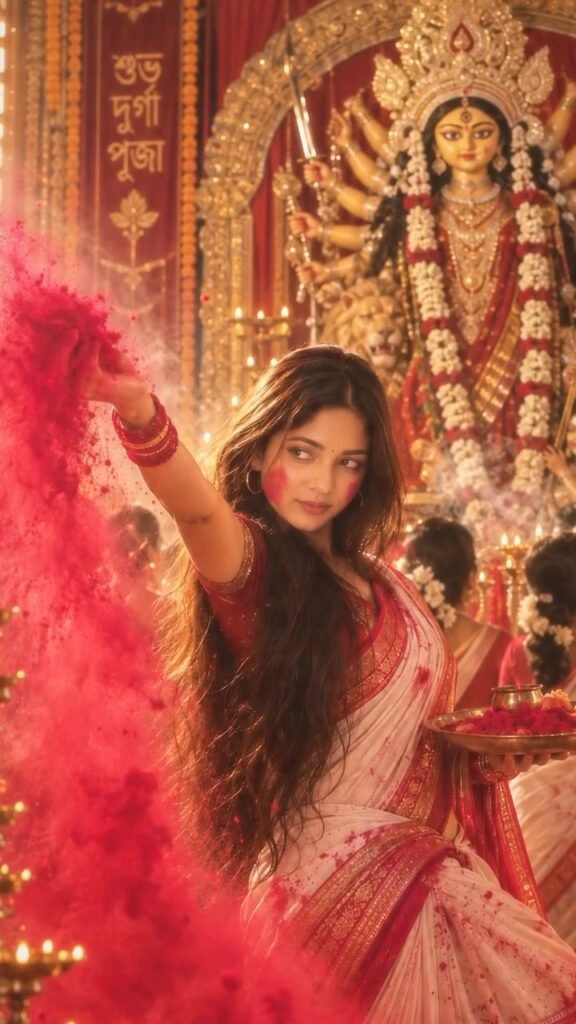
Upload 2 images.
Image 1 = Reference image for Pose 3 and the complete visual look.
Image 2 = Your photo for identity.
HIGHEST PRIORITY — IMAGE 2 IDENTITY:
The final person MUST have the exact face and identity of Image 2. Use Image 2 ONLY for the person’s face and identity. Preserve the exact facial structure, eyes, eyebrows, nose, lips, jawline, skin tone, natural features and facial proportions.
DO NOT use, copy, blend or preserve the face or identity of Image 1.
Use Image 1 for EVERYTHING ELSE: exact Pose 3, body position, saree, saree draping, blouse, earrings, jewellery, makeup, bindi, long open voluminous waist-length hair, Durga Puja background, Durga idol, decorations, lighting, colours, dhunuchi, smoke, framing and composition.
Recreate Image 1 as closely as possible, changing ONLY the person’s face and identity to Image 2.
Create a photorealistic 9:16 portrait. Keep the result natural and realistic with natural skin texture, realistic hair and fabric. No facial alteration, no beautification, no plastic skin and no AI-looking appearance.
Important Notes Before You Start
Each post uses a separate prompt. Upload the reference screenshot for that specific pose along with your own clear photo, and use only that pose’s prompt. Do not combine all three prompts into a single request, since each one is built for one pose at a time.
If the first result is not accurate, do not worry. You can ask the AI to correct specific details, such as the face, pose, hair, saree, or jewellery, one or two times and regenerate until it matches the reference closely.
For the best results, upload a clear and bright front-camera selfie with your face clearly visible. Avoid dark, blurry, or heavily filtered photos, since these reduce how accurately the AI can preserve your identity.
Tips for the Best Result
Use these tips to get a cleaner, more accurate output from each prompt:
- Choose a selfie with even, natural lighting and a neutral, front-facing angle, since side angles and heavy shadows make identity matching harder.
- Keep your expression relaxed in the source photo, since the reference pose already sets the expression and styling.
- Regenerate the image once or twice if the face, saree pattern, or jewellery does not match closely enough on the first attempt.
- Try each pose separately rather than requesting multiple poses at once, since this keeps the AI focused on one clear reference at a time.
Common Mistakes to Avoid
First, avoid uploading a blurry or low-light selfie, since this is the most common reason results look inaccurate. Second, do not mix reference images from different poses into the same request, since this confuses which details the AI should copy. Third, resist skipping the correction step, since most results improve significantly after one or two guided regenerations.
Key Takeaways
- This Durga Puja AI photo prompt set includes three separate poses, each requiring a reference image and your own identity photo.
- Every prompt prioritizes keeping your real face while recreating the saree, jewellery, pose, and festive background from the reference.
- Use one pose at a time, never all three together in a single request.
- Correct specific details through follow-up requests if the first result needs adjustment.
Conclusion
This Durga Puja AI photo prompt set gives you a fast way to create festive, saree-styled portraits without booking a professional photoshoot. Pick a pose, upload your reference image and selfie, and use the matching prompt to get started. Try all three poses this Durga Puja and build a complete festive photo series in minutes.
FAQs
Do I need to use all three Durga Puja prompts together?
No, each prompt is built for one specific pose. Use them one at a time with that pose’s own reference image.
How many photos do I need for each prompt?
You need two images per prompt: the reference pose image and one clear photo of your own face.
Will the AI keep my face looking like me?
Yes, every prompt is written to prioritize your real facial identity from your own photo, not the reference image.
What should I do if the saree or pose doesn’t match well?
Ask the AI to correct that specific detail, such as the saree, pose, or jewellery, and regenerate. Most results improve after one or two corrections.
What kind of selfie works best for this prompt?
A clear, bright, front-facing selfie with your face fully visible works best. Avoid dark, blurry, or heavily filtered photos.
Can I use these prompts for festivals other than Durga Puja?
Yes, the same two-image identity structure can be adapted to other festive or traditional outfit references.