The page opened fine. The source is a general article. It does not give a slot count, song details or exact effects, and it says the effects depend on the template you find. It also has a Related Articles block with unrelated templates (Moto, Body Guard, Askim Cok Pardon, Tumi Jaio Na), which I left out. So the details below stay generic, with no invented facts.
Intro
The Tu Mila To Jaise Main Jee Gya CapCut template is made for romantic and emotional reels. It suits couple videos, memory edits and love-status clips for Instagram Reels, WhatsApp Status and YouTube Shorts. No editing skill is needed. Add your photos or clips, and CapCut handles the timing and effects. More Templates
What Is the Tu Mila To Jaise Main Jee Gya CapCut Template?
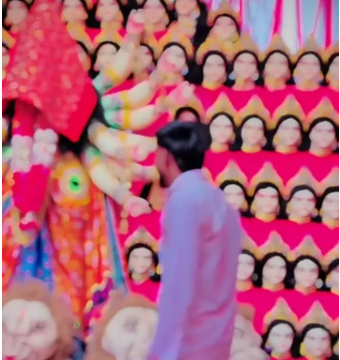
It is a ready-made CapCut edit in a soft, romantic style. The music, transitions and timing are already set. You replace the preview media with your own, and CapCut builds the video.
Templates in this style often use smooth transitions, gentle effects and music-synced cuts. Open the template in CapCut and watch the preview to see its exact look.
Why Is It Popular?
- Romantic songs suit personal memories and couple moments.
- The edit is simple, so beginners can use it.
- Soft transitions and music-synced cuts make photos feel like a short film.
- It saves time compared with editing frame by frame.
- Creators can share their own story with a trending sound.
Using a template does not guarantee views. Video quality, timing and your audience all matter.
Template Details at a Glance
- Template name: Tu Mila To Jaise Main Jee Gya CapCut Template
- App: CapCut (Android and iPhone)
- Style: Romantic, emotional, music-synced
- Input: Photos or video clips (check the slot count in the CapCut preview)
- Best for: Couple edits, love status, Reels, Shorts, WhatsApp Status
- Difficulty: Easy
- Price: Free to open. Some CapCut tools may need a paid plan.
How to Use the Tu Mila To Jaise Main Jee Gya CapCut Template
- Install CapCut and update it to the latest version.
- Open the template link: [ADD YOUR TEMPLATE LINK HERE]
- The link opens inside CapCut and shows the preview.
- Tap Use Template.
- Pick your photos or clips from the gallery, in the order you want.
- Tap Next and wait while CapCut applies the edit.
- Watch the full preview.
- Tap Export and save your video.
Search option: Open CapCut, go to the Discover or Templates tab and search “Tu Mila To Jaise Main Jee Gya”. Open the template that matches the preview you want.
If the Template Does Not Open
- Update CapCut from your app store.
- Some templates do not open in certain regions. CapCut sets this limit.
- Try the link again later.
- Open the link in your phone’s browser and choose CapCut.
- Clear the CapCut cache and restart the app.
Tips for the Best Result
- Choose clear photos with good light. Faces should be easy to see.
- Pick photos that tell one simple story, not many unrelated ones.
- Keep the same mood across all your photos and clips.
- Use vertical (9:16) media so nothing gets cropped.
- Do not cover faces with text or stickers.
- Preview the whole video before you export.
Common Mistakes to Avoid
- Using dark, blurry or stretched photos.
- Adding too many photos that do not match.
- Using photos or clips of other people without permission. Use only media you own or have permission to use.
- Skipping the CapCut update.
- Exporting before checking the timing.
Key Takeaways
- It is a romantic, music-synced CapCut template.
- You only add your photos or clips.
- Clear, vertical media works best.
- Update CapCut if the link does not open.
- Use only media you have permission to use.
Conclusion
The Tu Mila To Jaise Main Jee Gya CapCut template turns everyday memories into a soft, romantic reel. Choose your best photos, add them in order and preview the result. Export when you are happy, then share it. Visit again for more trending CapCut templates.
Disclaimer
We are not affiliated with CapCut. All trademarks, logos and templates belong to their respective owners. We only share publicly available template links.
FAQs
1. What is the Tu Mila To Jaise Main Jee Gya CapCut template?
It is a romantic CapCut template that turns your photos or clips into a music-synced reel.
2. Is it free to use?
Yes, you can open and use it for free. A few CapCut tools may need a paid plan.
3. Do I need editing skills?
No. Add your media and CapCut edits the video for you.
4. Can I use photos or video clips?
Check the slot count and media type in the CapCut preview, then add what the template asks for.
5. Why is the template not opening?
It is usually an old app version or a region limit. Update CapCut and try again later.
6. Can I post the video on Instagram and YouTube Shorts?
Yes. Export it and upload. Use only media you own or have permission to use.
Internal link suggestions
- Link “romantic CapCut template” to your romantic or love templates category.
- Link “trending CapCut template” to your 2026 trending templates page.
- Link “how to use CapCut template” to your CapCut tutorial post.
External links
- CapCut official site: https://www.capcut.com
- CapCut on Google Play: https://play.google.com/store/apps/details?id=com.lemon.lvoverseas