The page opened fine. It is a hub with many template versions, and it has a few errors I left out: the heading typo “Templatelate”, a line about editing “photos” when the template is for video, and links to other variants such as “Mafiya Ha Majanuwa” and “Mafiya Bhojpuri”. This article covers one template only.
Intro
The Mafiya Majanuwa CapCut template is a slow-motion attitude video style. It is popular on Instagram Reels and YouTube Shorts. This post is for anyone who wants a bold, stylish video without editing by hand. No editing skill is needed. You add your clips, and CapCut does the rest.
What Is the Mafiya Majanuwa CapCut Template?
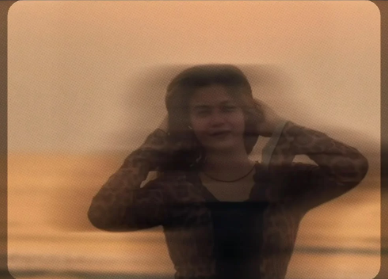
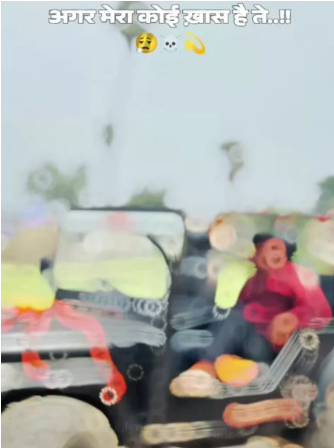
It is a ready-made CapCut edit built around a trending Bhojpuri-style track. The video opens with a blurred frame and a Hindi text overlay that sets an attitude mood. Then the picture turns sharp and slow motion takes over. The effects and slow-motion moments are timed to the beat of the music.
You can use it for clips of yourself, or of a friend, sibling or cousin.
Why Is It So Popular?
- The track is trending on Instagram, and many creators are posting edits with it.
- The blur-to-sharp opening grabs attention in the first second.
- The slow-motion beats make plain clips look cinematic.
- It saves time. One tap replaces many manual edits.
Template Details at a Glance
- Template name: Mafiya Majanuwa CapCut Template
- App: CapCut (Android and iOS)
- Style: Attitude, slow motion, blur-to-sharp intro
- Input: Your own video clips
- Best for: Instagram Reels, YouTube Shorts, WhatsApp Status
- Difficulty: Easy
- Price: Free to open. Some CapCut features may need a paid plan.
How to Use the Mafiya Majanuwa CapCut Template
- Install CapCut from Google Play or the App Store. Update it to the latest version.
- Open the template link: [ADD YOUR TEMPLATE LINK HERE]
- The link opens inside the CapCut app.
- Tap Use Template.
- Pick your clips from the gallery.
- Tap Next and wait while CapCut applies the effects.
- Check the preview, then tap Export.
- Save the video or share it to Instagram or YouTube.
Search option: Open CapCut, go to the Templates tab and type “Mafiya Majanuwa” in the search bar. Pick the template that matches the preview you want.
If the Template Does Not Open
- Some templates are limited by region. This is a CapCut rule.
- Update CapCut from your app store.
- Open the link again from your browser, or copy it and paste it into your browser.
- Try again after some time. CapCut servers can be slow.
- Clear the CapCut cache and restart the app.
Tips for the Best Result
- Use clear, well-lit clips. The slow-motion beats show every detail.
- Pick clips with movement, such as walking, turning or a head nod.
- Shoot vertically (9:16) so nothing gets cropped.
- Use short, steady clips, not shaky ones.
- Preview the full video once before you export.
- Export in the highest quality your phone supports.
Common Mistakes to Avoid
- Using dark or blurry clips. The edit already adds blur, so the result looks muddy.
- Using horizontal clips that get cropped.
- Skipping the app update, which causes the template to fail.
- Posting someone else’s clips without permission. Only use videos and photos you own or have permission to use.
- Exporting before checking the preview.
Key Takeaways
- It is a slow-motion attitude template with a blur-to-sharp intro.
- No editing skill is needed.
- Use bright vertical clips for the best result.
- Update CapCut if the template does not open.
- Use only clips you have permission to use.
Conclusion
The Mafiya Majanuwa CapCut template turns simple clips into a stylish slow-motion reel in a few taps. Follow the steps above and pick good clips. If the link does not open, update the app and try again. Share your finished video and check back for more trending templates.
Disclaimer
We are not affiliated with CapCut. All trademarks, logos and templates belong to their respective owners. We only share publicly available template links.
FAQs
1. What is the Mafiya Majanuwa CapCut template?
It is a CapCut template with a blur-to-sharp intro, a Hindi text overlay and slow-motion effects timed to the music.
2. Is the Mafiya Majanuwa CapCut template free?
Yes, you can open and use the template for free. Some CapCut features may need a paid plan.
3. Do I need editing skills?
No. Add your clips and CapCut edits the video for you.
4. Why is the template not opening?
The cause is usually a region limit or an old app version. Update CapCut, reopen the link or try later.
5. Can I use it on iPhone?
Yes. CapCut is available on both Android and iPhone.
6. Can I post the video on Instagram and YouTube Shorts?
Yes. Export the video and upload it. Use only clips you have permission to use.
External links
- CapCut official site: https://www.capcut.com
- CapCut on Google Play: https://play.google.com/store/apps/details?id=com.lemon.lvoverseas