The page opened fine. I left out its repeated “Check Template” steps, the “CupCut” typo and its long generic benefits paragraph (which also names a platform that is not relevant to your audience). I kept only the template facts it gave: a Bhojpuri attitude style, a blur opening, cinematic filters, a body cutout transition, slow motion and a body clone effect.
Intro
The Charcha Ba Rajdhani Me CapCut template is a Bhojpuri attitude video style that is trending on Instagram Reels. It is made for anyone who wants a bold, cinematic reel with strong effects. No editing skill is needed. Add your clip, and CapCut applies the effects for you.
What Is the Charcha Ba Rajdhani Me CapCut Template?
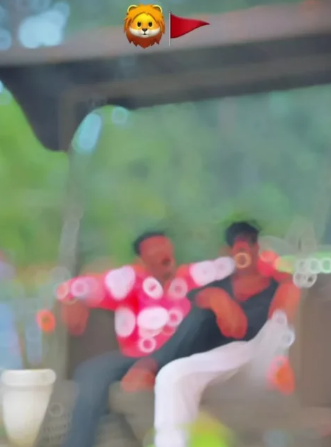
It is a ready-made CapCut edit with the effects, filters and timing already set. The video starts with a few blurred moments using a blur effect. Then the clip becomes clear, and cinematic filters and video effects appear one after another.
Next comes a body cutout transition, followed by slow motion and a body clone effect. The result is a sharp, confident look.
Why Is It Popular?
- Attitude edits are a favourite for Bhojpuri reels.
- The blur-to-clear opening grabs attention fast.
- Body cutout and clone effects look advanced, but you do not edit them yourself.
- Slow motion adds a cinematic feel to a simple clip.
- It is quick. One template replaces many manual steps.
Template Details at a Glance
- Template name: Charcha Ba Rajdhani Me CapCut Template
- App: CapCut (Android and iPhone)
- Style: Bhojpuri attitude, cinematic, slow motion
- Input: Video clip (check the slot count in the CapCut preview)
- Best for: Instagram Reels, YouTube Shorts, WhatsApp Status
- Difficulty: Easy
- Price: Free to open. Some CapCut tools may need a paid plan.
How to Use the Charcha Ba Rajdhani Me CapCut Template
- Install CapCut and update it to the latest version.
- Open the template link: [ADD YOUR TEMPLATE LINK HERE]
- The link opens inside CapCut and shows the preview.
- Tap Use Template.
- Add your clip from the gallery.
- Tap Next and wait while CapCut builds the edit.
- Watch the full preview.
- Tap Export and save the video.
Search option: Open CapCut, go to the Discover tab and search “Charcha Ba Rajdhani Me”. Open the template that matches the preview.
If the Template Does Not Open
- Update CapCut from your app store.
- Some templates do not open in certain regions. CapCut sets this limit.
- Try again after some time.
- Open the link in your phone’s browser and choose CapCut.
- Clear the CapCut cache and restart the app.
Tips for the Best Result
- Use a clear, well-lit clip. The cutout and clone effects need a clean subject.
- Keep one person in the frame, with a simple background.
- Record in vertical (9:16) format.
- Use a steady clip. Shaky footage makes the effects look rough.
- Wear clothes that stand out from the background.
- Preview the full video before you export.
Common Mistakes to Avoid
- Using a crowded or dark background. The body effects work best on a clean frame.
- Using a horizontal clip that gets cropped.
- Skipping the CapCut update.
- Using clips of other people without permission. Use only videos you own or have permission to use.
- Exporting before checking the preview.
Key Takeaways
- It is a Bhojpuri attitude template with a blur intro, filters and slow motion.
- It also includes a body cutout transition and a body clone effect.
- A clear, steady, vertical clip works best.
- Update CapCut if the link does not open.
- Use only clips you have permission to use.
Conclusion
The Charcha Ba Rajdhani Me CapCut template gives a simple clip a strong, cinematic attitude look. Record a clean clip, add it and export. Check the preview, then share it. Visit again for more trending CapCut templates.
Disclaimer
We are not affiliated with CapCut. All trademarks, logos and templates belong to their respective owners. We only share publicly available template links.
FAQs
1. What is the Charcha Ba Rajdhani Me CapCut template?
It is a Bhojpuri attitude template with a blur intro, cinematic filters, slow motion and body effects.
2. Is it free to use?
Yes, you can open and use it for free. A few CapCut tools may need a paid plan.
3. Do I need editing skills?
No. CapCut edits the video after you add your clip.
4. How many clips can I add?
Check the slot count in the CapCut preview before you add media.
5. Why is the template not opening?
It is usually an old app version or a region limit. Update CapCut and try again later.
6. Can I post it on Instagram and YouTube Shorts?
Yes. Export it and upload. Use only clips you own or have permission to use.
Internal link suggestions
- Link “Bhojpuri attitude CapCut template” to your Bhojpuri templates category.
- Link “slow motion CapCut template” to your Mafiya Majanuwa CapCut template post.
- Link “trending CapCut template” to your 2026 trending templates page.
External links
- CapCut official site: https://www.capcut.com
- CapCut on Google Play: https://play.google.com/store/apps/details?id=com.lemon.lvoverseas
Image suggestion and ALT text
Use a vertical 9:16 screenshot of the template preview showing the clean subject and effect. Use only an image you own or created.
Please check or supply:
- Template link: I left a placeholder. Add your own link.
- Left generic: Slot count, song artist and exact effect names. The source named a blur effect, a body cutout transition and a body clone effect. I described them in plain words. Confirm them in the CapCut preview.
- Similar post warning: Your Mafiya Majanuwa post covers a similar style (attitude, blur opening, slow motion). The keywords are different, so they do not compete. Keep the wording different between the two posts.
- Keyword check: If you already have a post on “Charcha Ba Rajdhani Me CapCut template”, update it instead of publishing this one.
- Image: Make sure you have the right to use any person’s clip in the preview.
- Rank Math: The keyword is in the title, intro, slug, meta description, subheadings and ALT text. Final scoring depends on your published post, so check the image, links and word count there.