Aura Farming Korean AI Video Editing Prompt are everywhere on Instagram Reels and YouTube Shorts right now. In the Korean-style version, one calm, confident character walks into a noisy classroom, says a few words, and everyone instantly sits down. The best part is that you can put yourself in that scene using a reference video, one photo of yourself, and an AI prompt. In this post, you will get the full prompt and step-by-step instructions for Google Gemini and Google Flow.
You do not need any editing skill. You only need a reference video, one clear photo of yourself, and access to Gemini or Flow.
What Is the Aura Farming Korean AI Video Editing Prompt?
“Aura farming” is a trend about looking effortlessly cool and commanding. The Korean classroom version has a simple storyline: a group of boys is laughing and ignoring the rules, then one calm boy walks in, tells them to take their seats, and they all sit down at once.
With AI motion transfer, you upload that reference video and your own photo. The AI copies the movement from the reference and replaces the lead character with you, so you become the one who walks in and takes control of the room.
What You Need Before You Start Aura Farming Korean AI Video Editing Prompt 2026 – Free Gemini and Flow Prompt
A short reference video of the classroom scene, one clear front-facing photo of yourself with good lighting, and a Google account for Gemini or Flow. Most AI video tools only handle short clips, so cut your reference video into segments of about 10 seconds each before uploading.
Only use reference videos you have permission to use, and avoid uploading photos of other people without their consent.
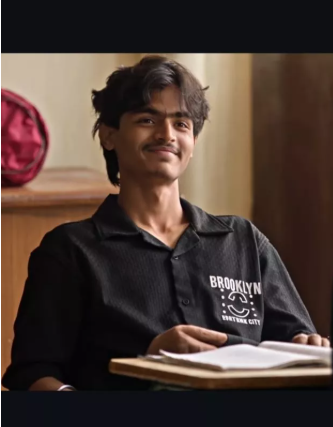
Aura Farming AI Video Prompt
Copy and paste this into Gemini or Flow:
Use the uploaded reference video as the exact motion reference. Track the main subject’s full-body movement, posture, head movement, shoulder movement, hand/arm gestures, walking direction, weight shifts, and facial reactions frame-by-frame.Preserve the original body-motion timing and choreography as closely as possible. The generated subject should follow the same poses, transitions, head turns, body orientation, gestures, and natural pauses as the reference video.Keep human anatomy realistic and stable throughout the entire clip. Maintain consistent face, hairstyle, clothing, body proportions, and identity. No unnatural limb movement, no extra fingers or limbs, no body warping, no sudden pose changes.Match the original camera movement, framing, perspective, shot transitions, and pacing. Keep the motion smooth, cinematic, realistic, and physically believable. Use subtle natural secondary motion in the hair and clothing while maintaining accurate body-motion tracking.IMPORTANT: Prioritize accurate motion transfer from the reference video over creating new choreography. Do not change the timing or direction of the subject’s movements.
How to Create It With Google Gemini
- Open Gemini and choose the video generation model using the plus icon.
- Upload your reference video, then upload your photo.
- Paste the prompt above and tap generate.
- Review the result, then regenerate if the face or movement looks off.
- Aura Farming Korean AI Video Editing Prompt 2026 – Free Gemini and Flow Prompt
How to Create It With Google Flow
- Search for Google Flow and open the official site.
- Create a new project, then use the plus option to upload your reference video and your photo.
- Select both on the timeline, then use the plus option below them to add them to the generation.
- Paste the prompt and generate.
- Aura Farming Korean AI Video Editing Prompt 2026 – Free Gemini and Flow Prompt
Tips for Better Results
Use a sharp, front-facing photo with even lighting, since this helps the AI keep your face consistent. Keep your reference video clips short and cut at natural moments. Use a photo where your outfit is similar to the character’s, since this makes the motion transfer look more natural. Generate a few versions and pick the smoothest one. Join the 10-second clips in any video editor and add the original trending audio. Aura Farming Korean AI Video Editing Prompt 2026 – Free Gemini and Flow Prompt
Common Mistakes to Avoid
First, avoid uploading a long reference video in one go, since most tools handle short clips better. Second, do not use a blurry or side-angle photo, since it makes the face change between frames. Third, do not add extra instructions that conflict with the reference motion, because the AI may start inventing movement. Aura Farming Korean AI Video Editing Prompt 2026 – Free Gemini and Flow Prompt
Key Takeaways
The aura farming Korean AI video swaps you into a trending classroom scene using a reference video and one photo. Both Google Gemini and Google Flow can do it. Short clips, a clear photo, and a strict motion-transfer prompt give the best results. Aura Farming Korean AI Video Editing Prompt 2026 – Free Gemini and Flow Prompt
Conclusion
With one reference video, one photo, and this prompt, you can turn yourself into the calm, commanding character everyone sits down for. Try it on Gemini or Flow, join your clips, and post it while the trend is still going. Aura Farming Korean AI Video Editing Prompt 2026 – Free Gemini and Flow Prompt
FAQs
Is this prompt free?
The prompt is free. Gemini and Flow may have usage limits or require a subscription for video generation.
Why should I cut the reference video into 10-second parts?
Most AI video tools generate short clips, and shorter segments keep the motion and face more accurate.
Can I use any reference video?
Use videos you have permission to use. The prompt works with any similar scene.
Why does my face change during the video?
Use a clearer, front-facing photo and regenerate. Adding “keep my face consistent in every frame” helps.
Which is better, Gemini or Flow?
Both work with the same prompt. Try both and compare the results.
How do I join the clips?
Use any video editor like CapCut and add your audio on top.