The “Chalrey Chalrey” CapCut template is a lyric-style edit that has been trending on Instagram Reels and YouTube Shorts. It opens on a dark screen with an overlay, then changes into your photo or clip while the lyrics appear in time with the music. It is a good way to make a plain clip look stylish and emotional. In this post, you will learn what the template does, how to use it, and how to get the best result.
You do not need any editing skill. You only need the CapCut app, a few of your own photos or clips, and the template link in this post.
What Is the Chalrey Chalrey CapCut Template?
A CapCut template is a ready-made edit. The effects, lyrics, and music are already set up, and you only add your own clips. CapCut then builds the video for you.
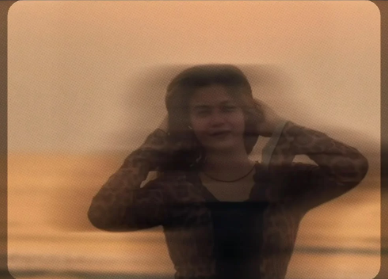
This template is lyric-focused. The words appear on screen in step with the music, which gives your reel a polished, music-video feel. It starts with an overlay on a black background, then the effect changes and your clip comes in.
WhyAfter Effects Works
A plain upload can get lost in the feed. Lyrics that move with the beat give viewers something to follow, so they are more likely to keep watching. They also make the video feel more personal, since people often post lyric edits to express a mood or feeling.

Template Details at a Glance
Template Name: Chalrey Chalrey CapCut Template
App Required: CapCut (free)
Edit Style: Lyric-based, with music-synced text
Opening: Overlay on a black screen, then your clip appears
Input: Your own photos or video clips
Best For: Mood reels, couple edits, personal and aesthetic content
Difficulty Level: Beginner friendly
Price: Free
How to Use the Chalrey Chalrey CapCut Template: Step-by-Step
First, install CapCut if you do not already have it.
Next, tap the template link in this post, or open CapCut, go to the “Templates” section, and search for “Chalrey Chalrey.”
Then, preview the template and check the effects, lyrics, and style.
After that, tap “Use Template” and add your own photos or clips.
Then, let CapCut apply the effects and build the video.
Finally, preview the result, make sure the clips and lyrics match the music, and export.
If the Template Does Not Open
Some templates are not available in every country or region. If the “Use Template” button does not work, update CapCut to the latest version, try again later, or open the link from your phone browser.
Tips for the Best Result
Choose clips that match the mood of the song, such as calm, emotional, or aesthetic shots. Use bright, sharp photos and clips, since the dark opening makes the reveal stand out. Keep your subject in the center so the lyrics do not cover your face. Always preview the full edit before posting and check that the lyrics sync with the music. Post while the song is trending, and keep your caption short.
Common Mistakes to Avoid
First, avoid blurry or very dark clips, since the effects work best on clear footage. Second, do not skip the preview, because one mismatched clip can make the lyrics look off. Third, avoid adding extra text or filters on top, since they can clash with the lyric design.
Key Takeaways
The Chalrey Chalrey CapCut template is a free, lyric-based template with a dark overlay opening and music-synced text. It works in the CapCut app and needs no editing skill. Clips that match the mood and a quick preview give the best result.
Conclusion
The Chalrey Chalrey CapCut template turns a few simple clips into a stylish lyric reel in minutes. Tap the link, add your clips, check the sync, and export. Try it while the song is still trending.
Disclaimer: This site is not affiliated with or endorsed by CapCut. All trademarks belong to their owners, and only publicly available template links are shared.
FAQs
Is this CapCut template free?
Yes. You only need the CapCut app and the template link.
Can I use photos and videos together?
Yes, you can add your own photos or video clips.
Why won’t the template link open?
It may be unavailable in your region. Update CapCut, try again later, or search for the name in the Templates section.
Does it work on iPhone and Android?
Yes, CapCut is available on both.
Can I change the lyrics?
The lyrics are part of the template. You can edit the result after it is built, but heavy changes may break the sync.
How long does it take?
Most people finish in a few minutes.